
DISK 100%
Stuck at full load
The graph is pinned and nothing on the surface explains which file is being hammered.
ADVANCED WINDOWS SYSTEM MONITOR · v4.0
An advanced Windows system monitor: file system, registry, process, keyboard and clipboard activity in real time — a level deeper than Task Manager, in one view.
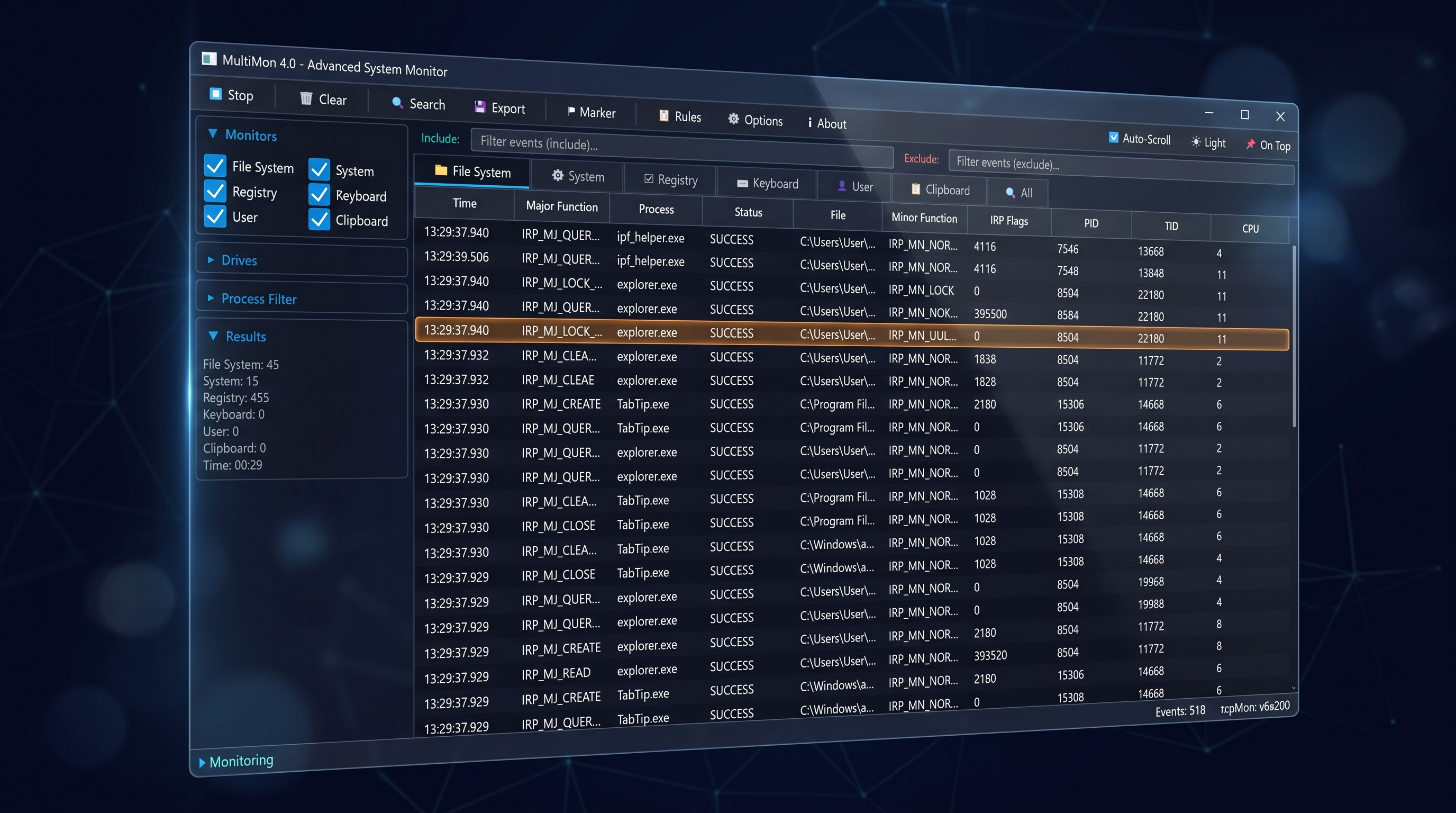
this is what’s hammering your system
Every feature unlocked for 30 days — all six monitors, filters, Excel export. No account, no card, no crippled demo.
The trial doesn’t lock you out. MultiMon keeps running as the free Basic edition, forever, with your setup intact.
One license key turns Basic back into full Premium — €74.95 once, no subscription. Same install, nothing to redownload.
TRUSTED BY WINDOWS USERS FOR OVER A DECADE
A spike in the graphs, a fan that won’t stop, a disk stuck at 100% — and no clear answer. The real cause is usually a background process, a file being hammered, or registry activity you can’t see from the surface.
DISK 100%
The graph is pinned and nothing on the surface explains which file is being hammered.
UNKNOWN PROCESS
A service wakes up, eats CPU for two minutes, and disappears before you can name it.
RANDOM FREEZE
Freezes that never happen while you watch — so there is nothing to catch by hand.
MultiMon combines file system, system, registry, keyboard, user and clipboard monitoring in a single, real-time view — so the cause of a slowdown isn’t buried across five different tools. Filter out the noise, keep what matters, and see the moment something touches your system.
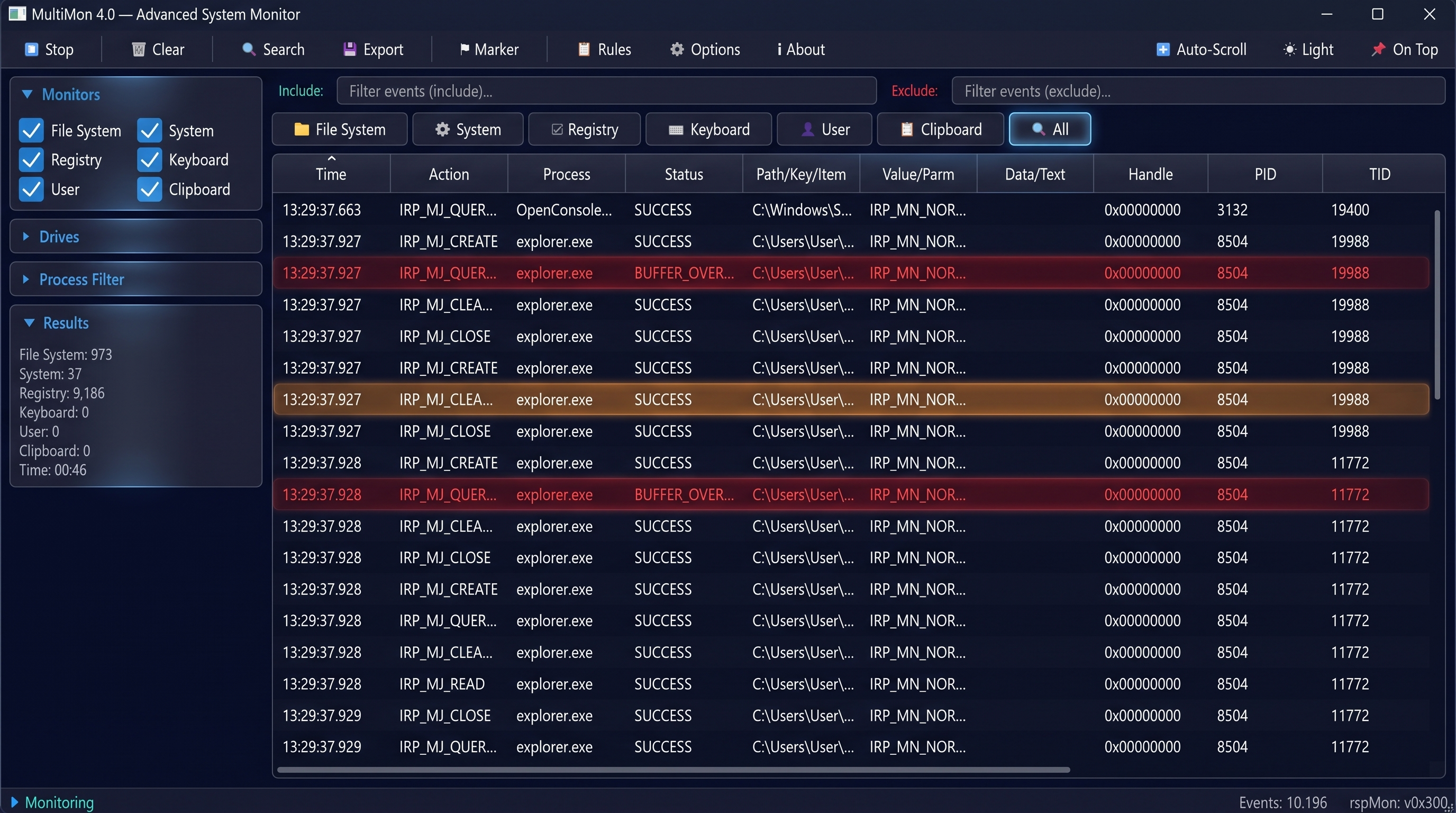
LIVE
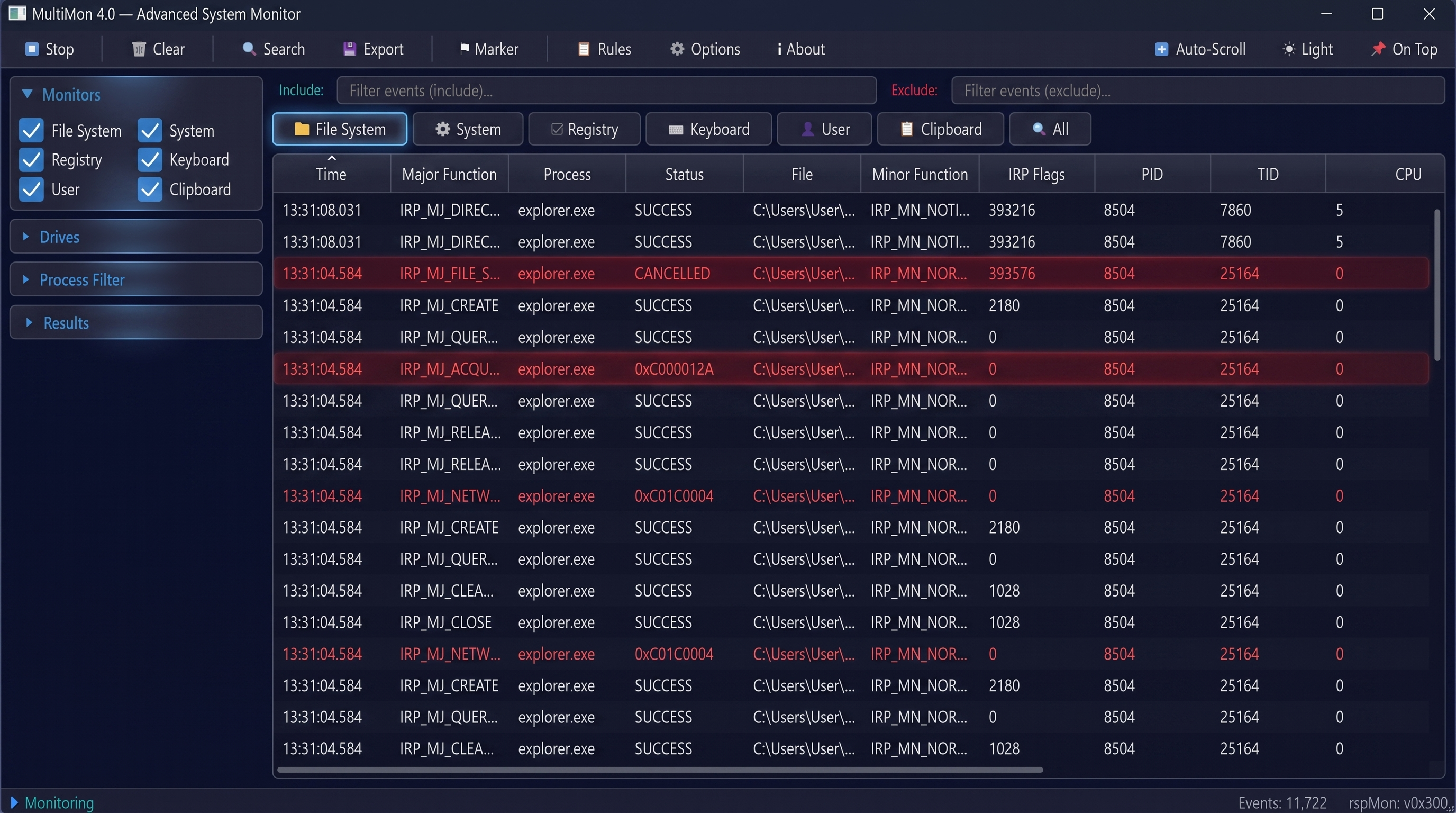
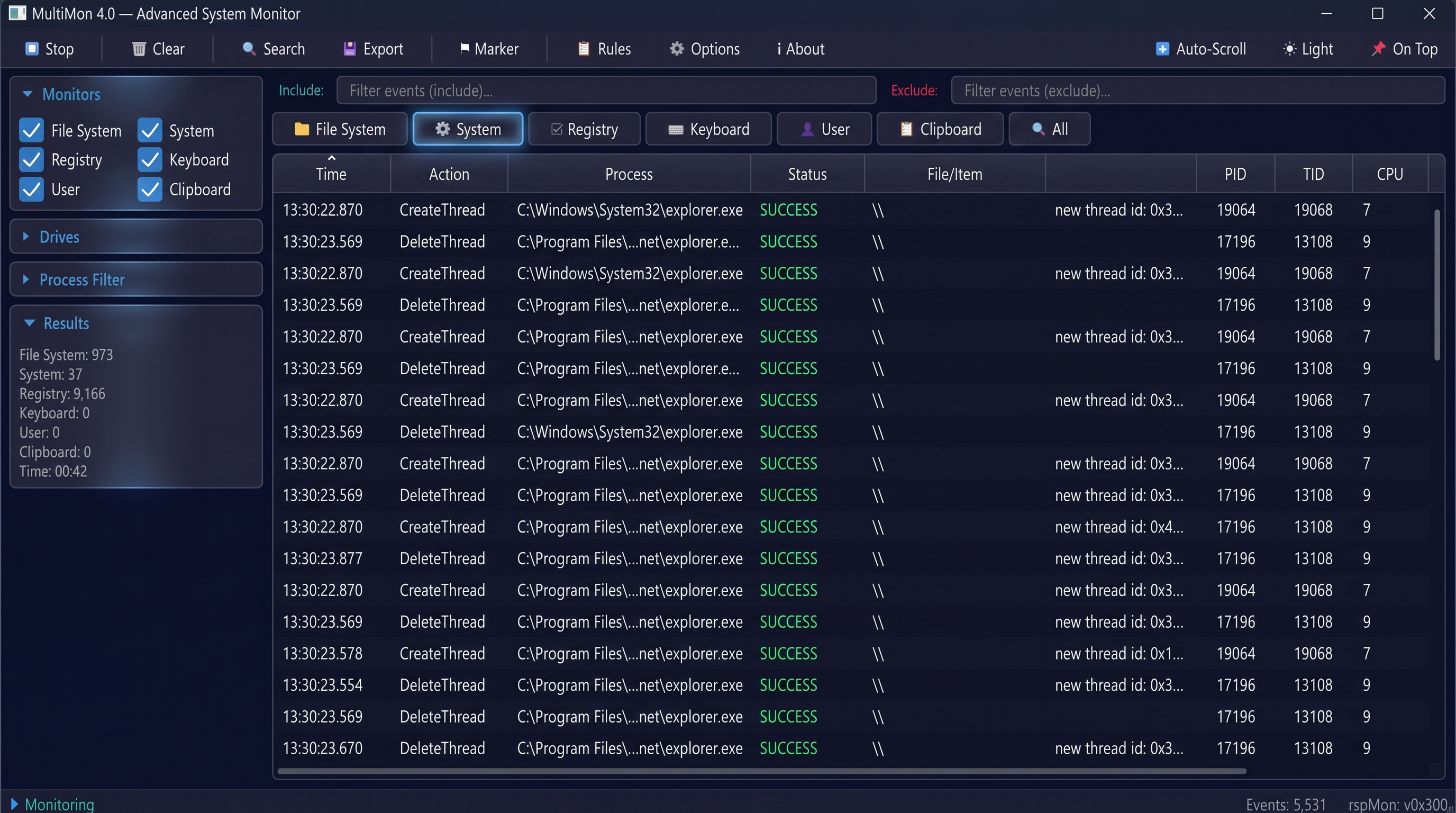
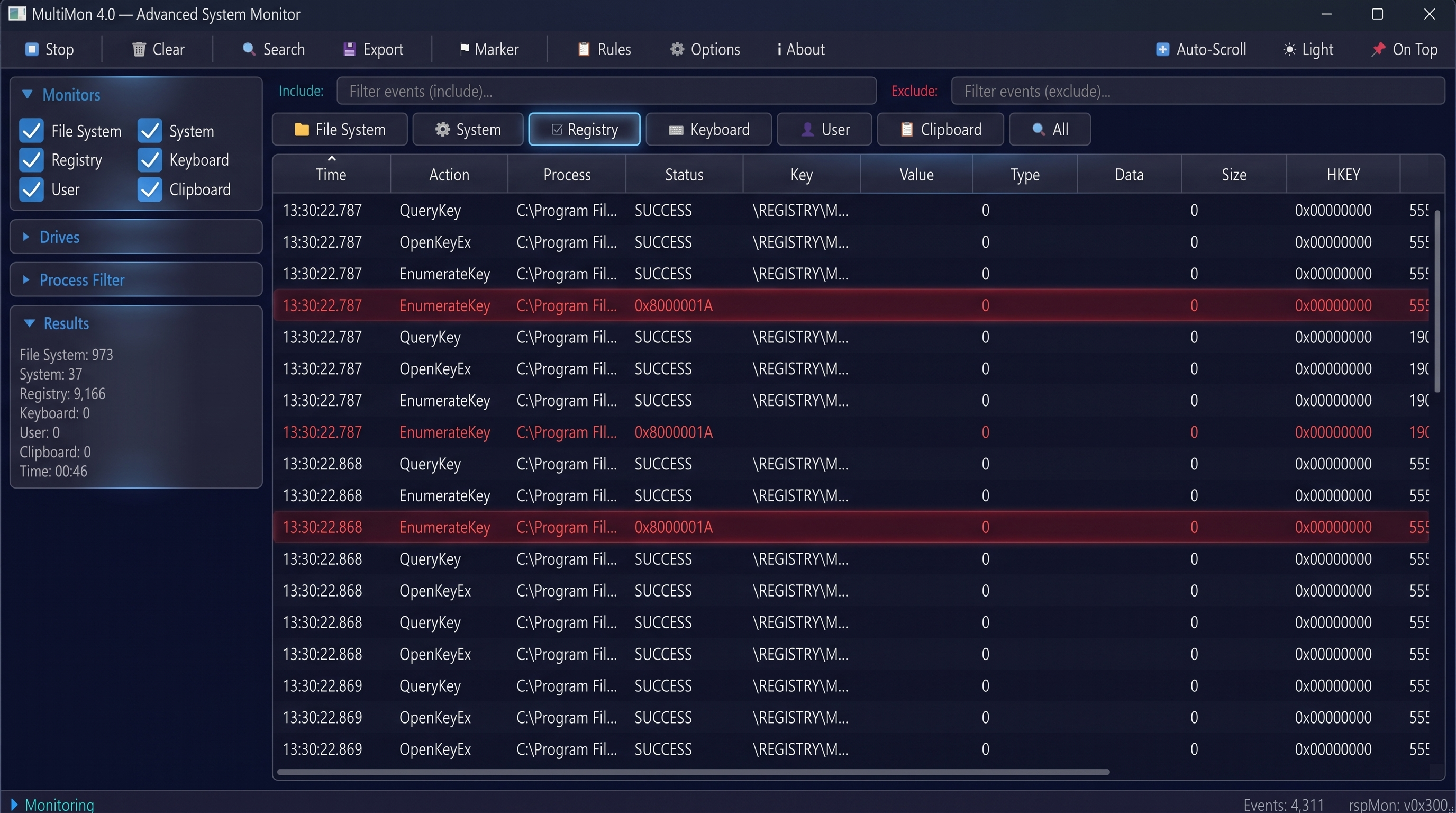
File System — every read, write, lock and create, with process, PID, TID and status. System — thread and process lifecycle events as they happen. Registry — key opens, queries and enumerations, including failures. All — every monitor merged into one chronological, filterable stream.
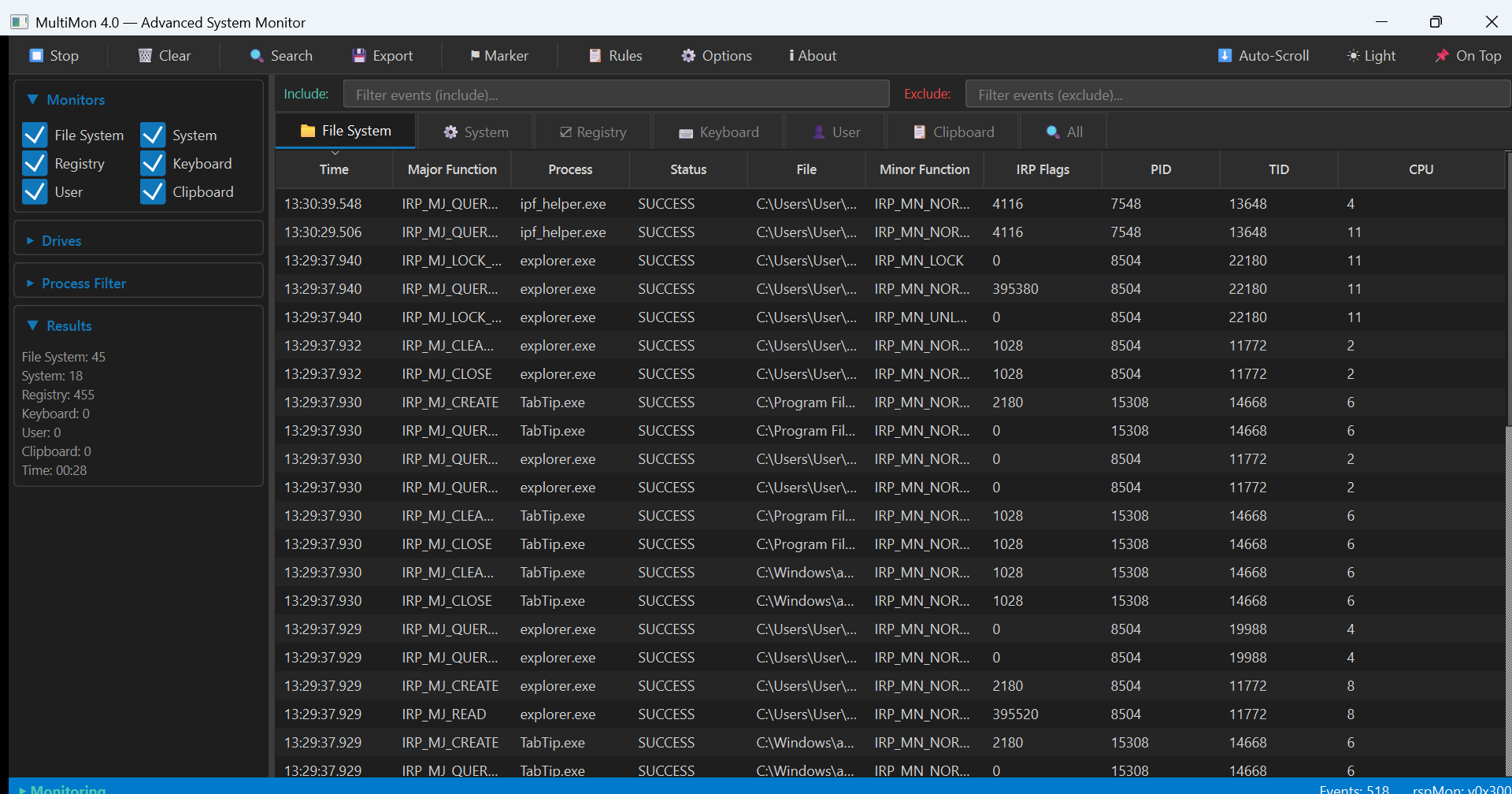
Six monitors in one app — File System, System, Registry, Keyboard, User and Clipboard.
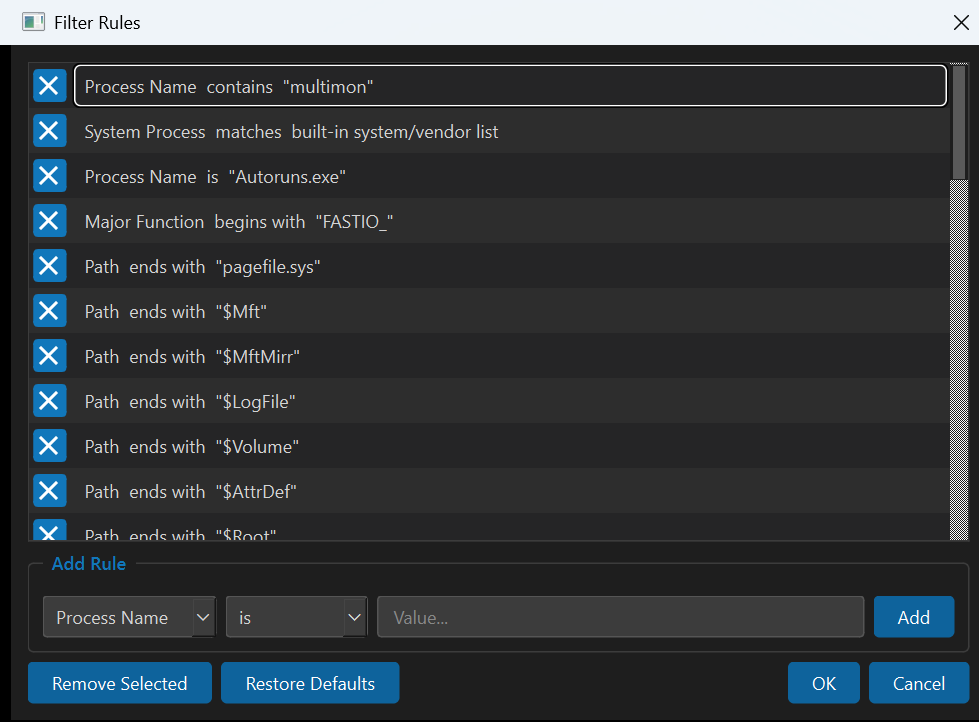
Include/exclude filters and rules — keep only what matters, without losing the raw stream.
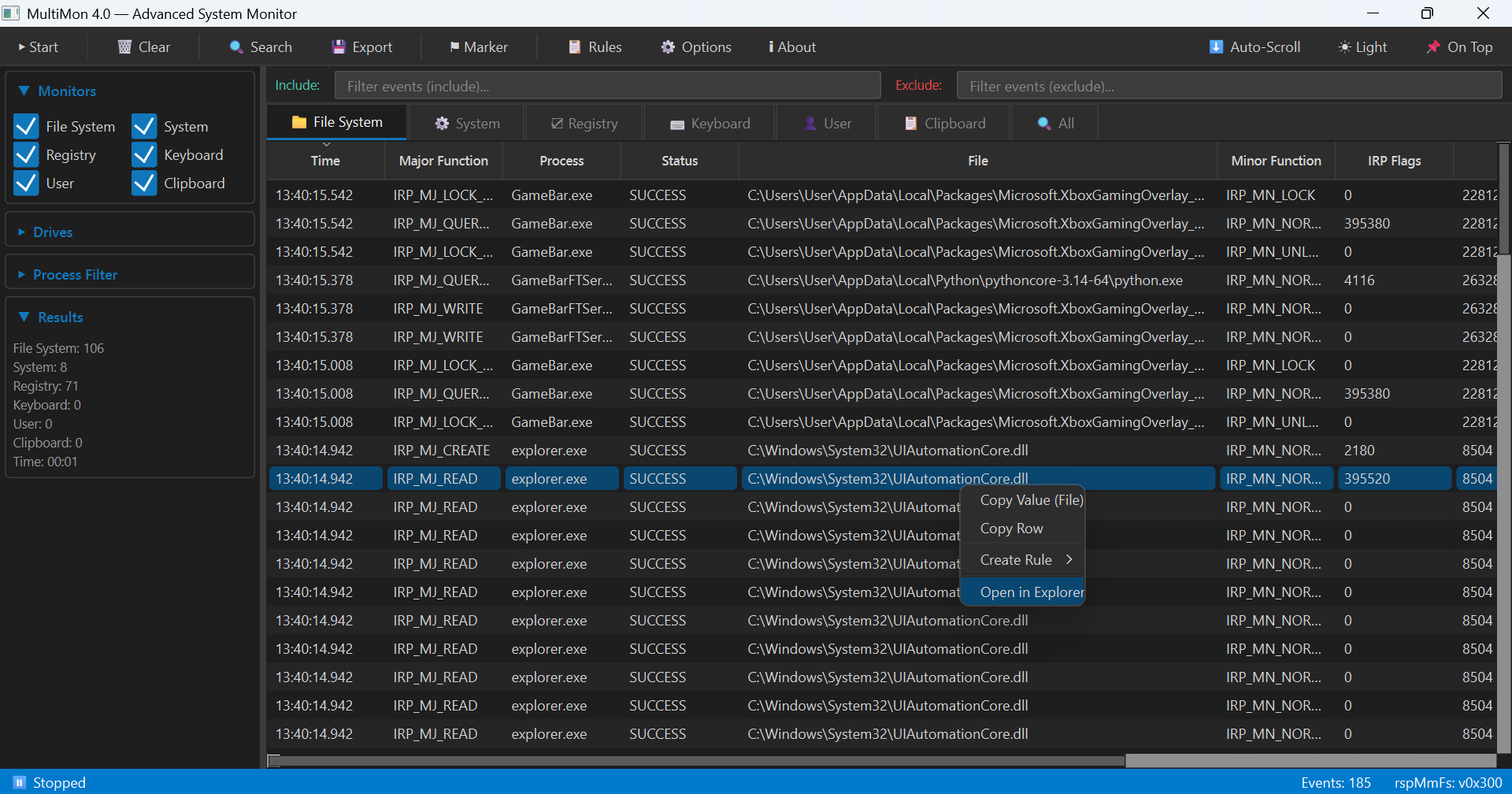
Jump straight to the file or registry key. Turn any row into a rule.
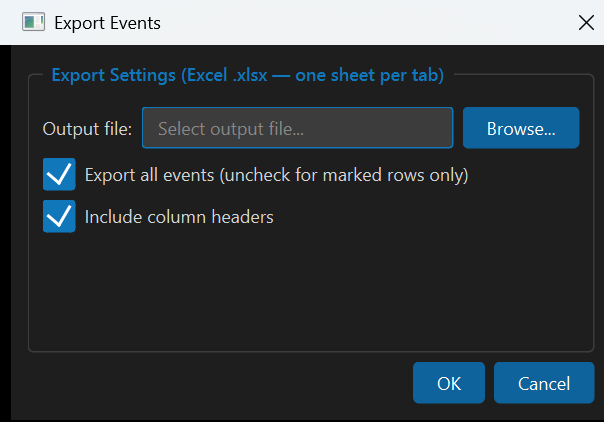
Export every event to Excel (.xlsx) — one sheet per monitor tab.
See Premium pricing →Watch activity as it happens — no polling, no refresh, no lag.
Find the background task stealing your frames — before the next round starts.
See exactly what every process, file and registry key is doing on your PC.
Understand why your own computer is slow — no guesswork.
MultiMon is a diagnostics tool for your own PC — the computer you own and control. Everything runs locally — no cloud, no accounts, no data leaves your machine. It’s built for understanding your own system, not watching other people.
Every download starts as a 30-day trial with all Premium features. After that it keeps running as the free Basic edition — a license restores Premium any time.
30 days
forever
license key
Premium keys are issued directly by us — no checkout, no subscription.
“Found the background updater that was tanking my frame rate mid-match in about two minutes.”
“Seeing file and registry activity next to the process list is what Task Manager never gave me.”
“My laptop had been slow for months. Turned out to be one sync tool hammering the disk.”
Nothing breaks. MultiMon keeps running as the free Basic edition — you only lose the Premium-only capabilities, such as Excel (.xlsx) export.
Premium is €74.95 and unlocked with a license key. Licenses are issued directly by us — contact us at office@wizzerit.com and we’ll send the key and invoice. There is no subscription.
Basic keeps all six monitors, the real-time view, filters and rules. Excel (.xlsx) export is Premium only.
Windows 10, Windows 11 and Windows Server editions.
Yes. It runs entirely locally, collects no data, and the installer (multimonInstaller-x64.exe) is digitally signed and Microsoft-validated.
Write to support@wizzerit.com. For licensing and invoicing, contact office@wizzerit.com.
Try the full version free for 30 days.